
Computer systems are essential tools that help us work, learn,...
 TLE209 views·Updated Jun 19, 2026·25 pages
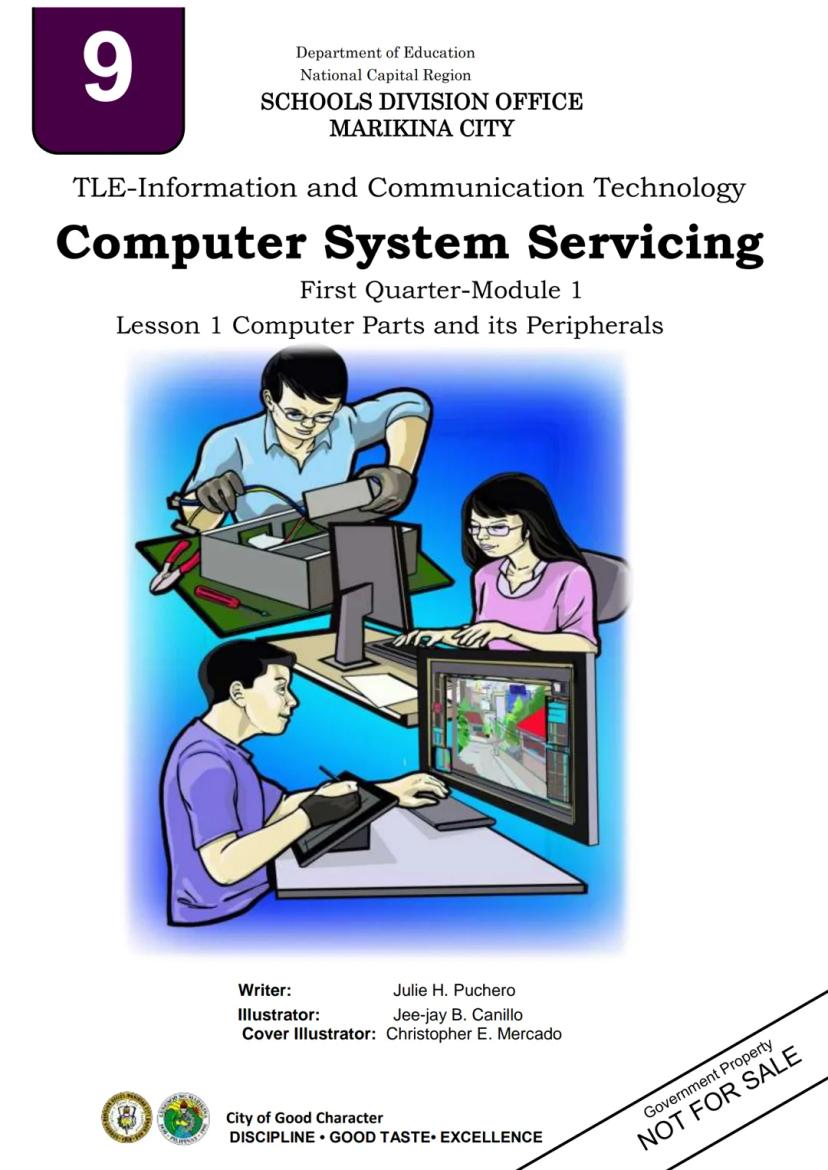
ICT Grade 9 Module 1 - Quarter 1
M
Malariah@malaraiah




1 / 10
1
of 10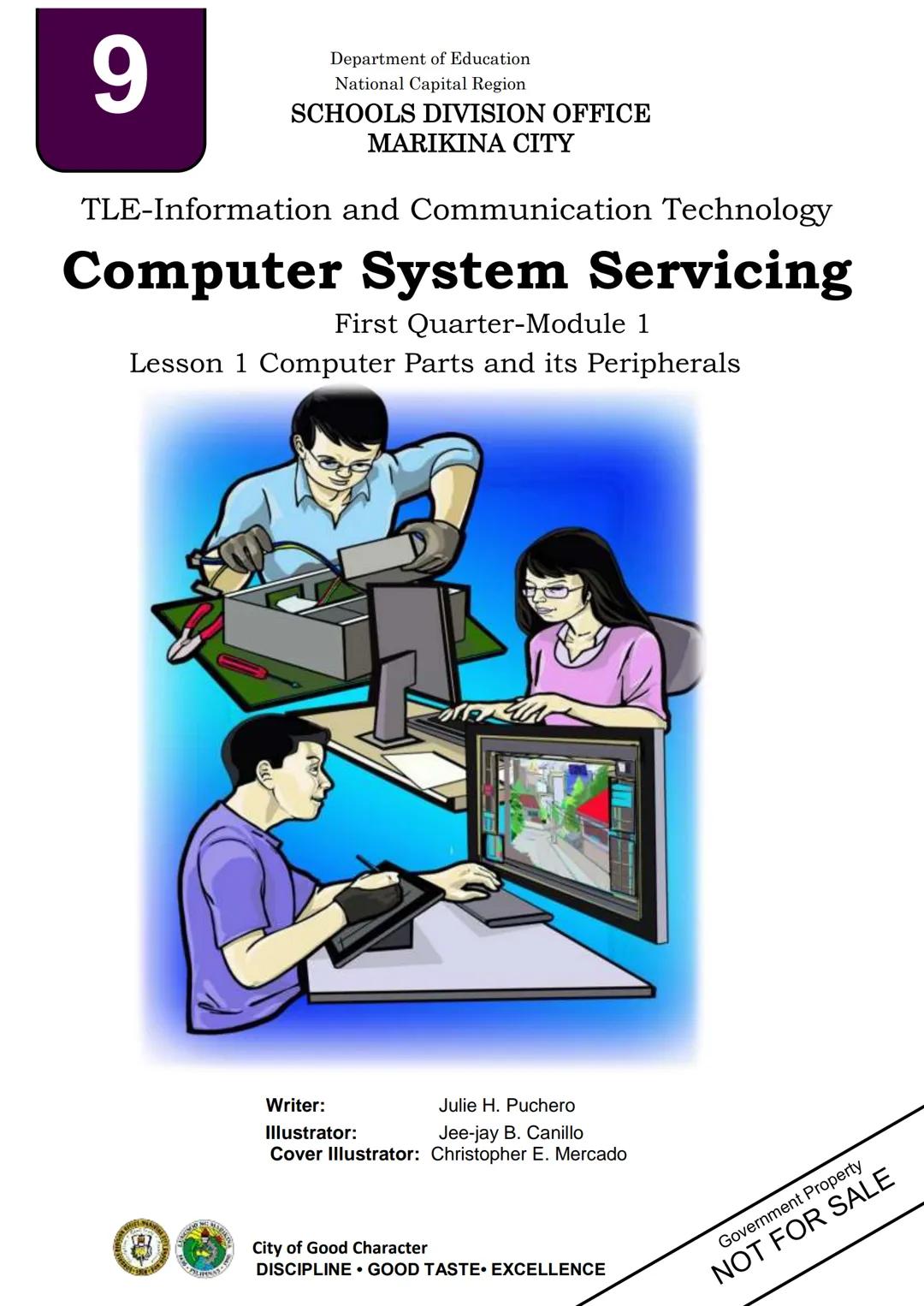
Introduction to Computer Systems Servicing
A computer is an electronic device that processes data into useful information according to stored instructions. Every computer consists of both hardware (physical components) and software (programs).
Understanding computer parts and peripherals is crucial for anyone interested in technology. This knowledge helps you make informed decisions when using, buying, or fixing computers.
Quick Tip: Knowing how computers work not only helps with troubleshooting but also improves your ability to use them effectively!
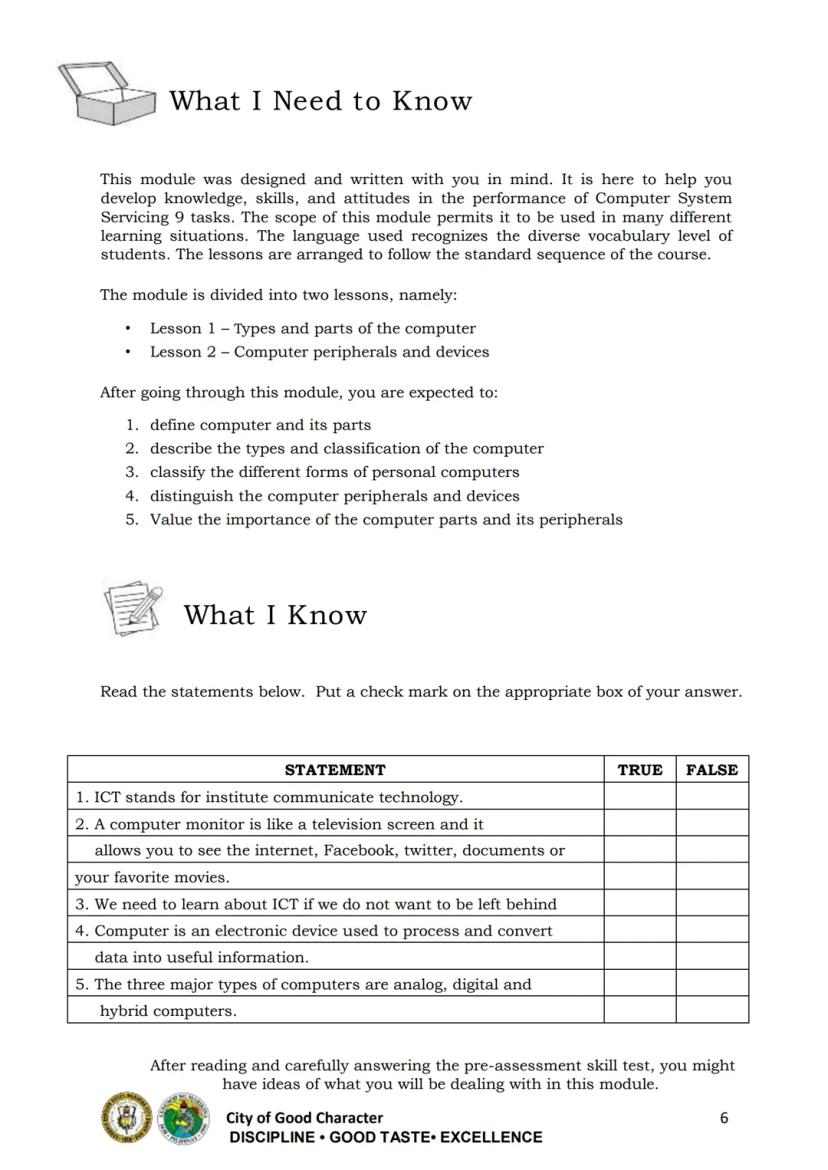
The module covers two key areas: types and parts of computers, and computer peripherals and devices.
2
of 10
Types of Computers
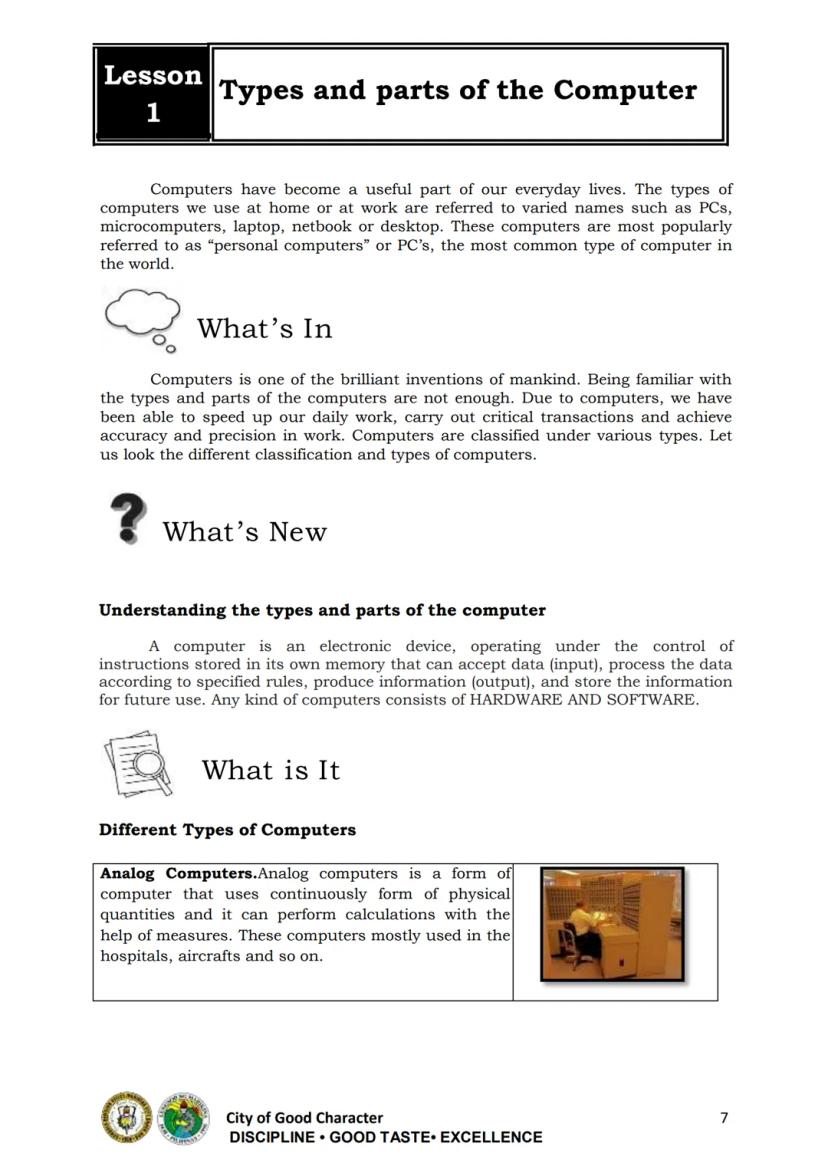
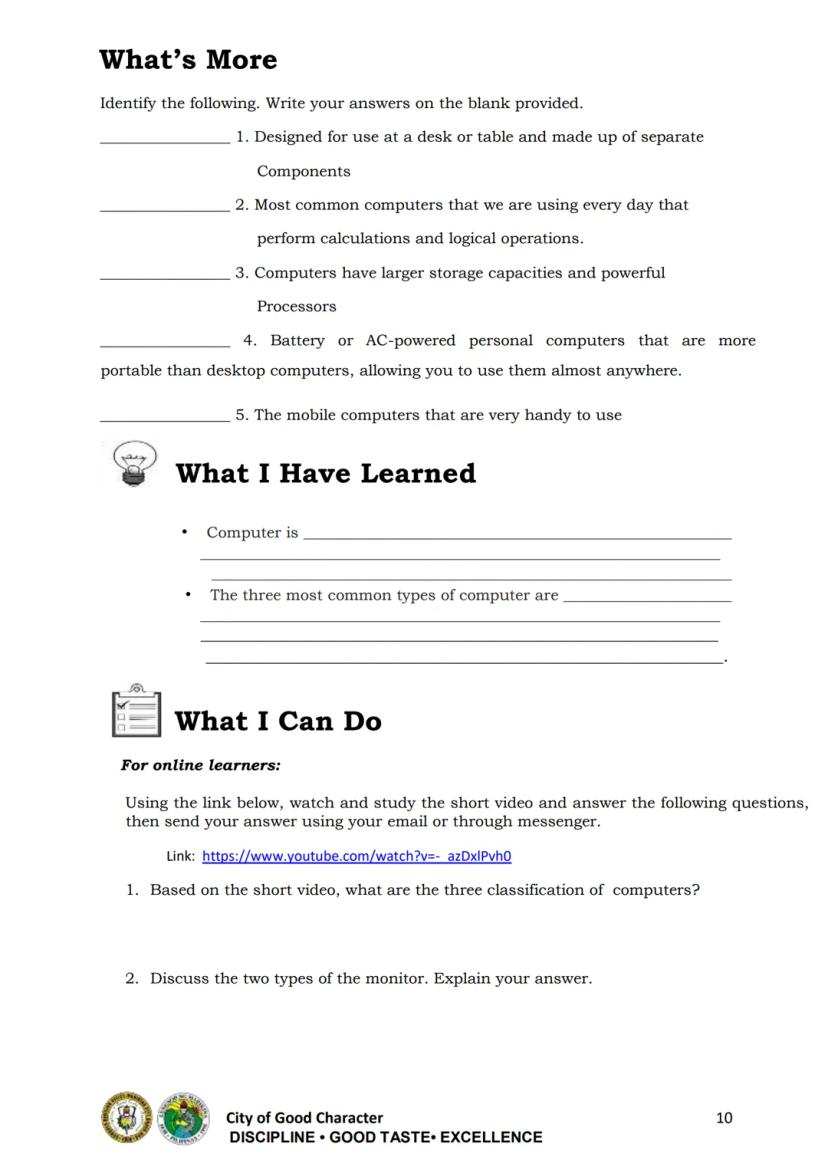
Computers are classified into three major types:
-
Analog Computers - Use continuous physical quantities for calculations and measurements. They're commonly found in hospitals and aircraft systems.
-
Digital Computers - The most common type we use daily. They perform calculations and logical operations by processing data in binary form (0s and 1s).
-
Hybrid Computers - Combine features of both analog and digital types. They can both count and measure, making them versatile for specific applications.
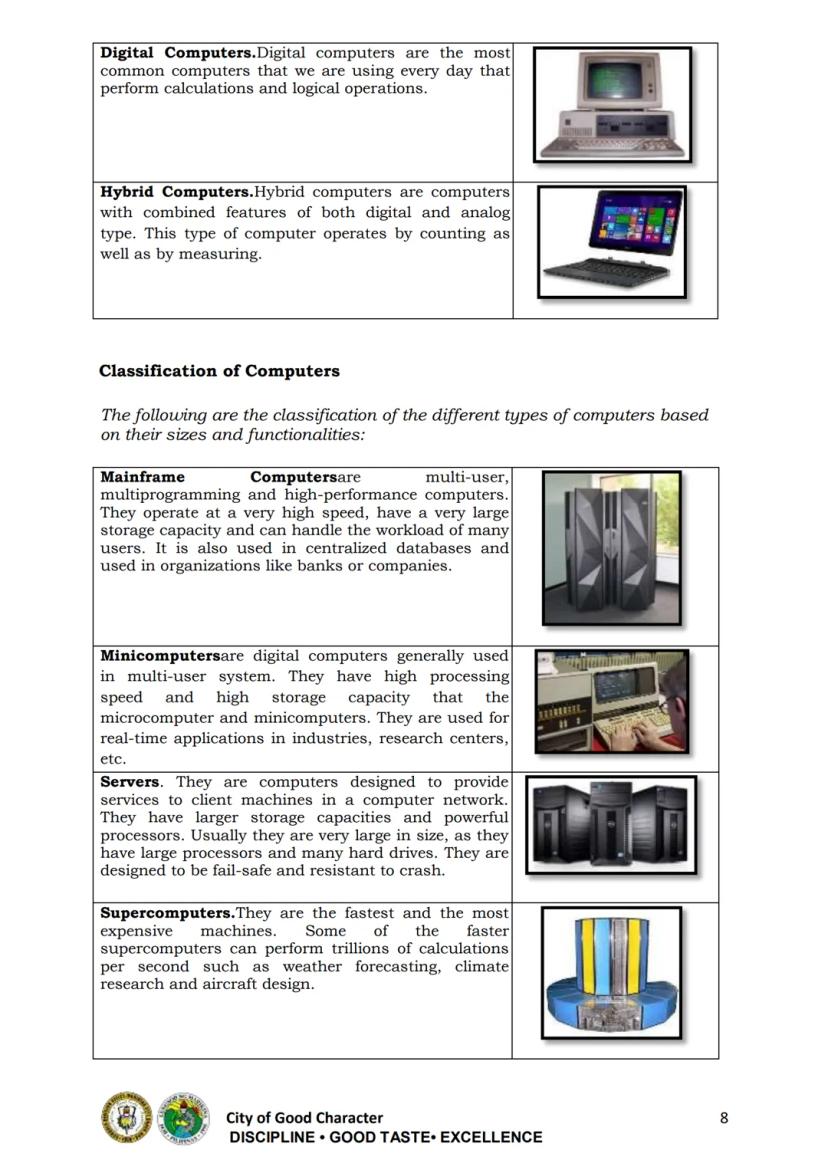
Computers are also classified by size and functionality:
- Mainframe Computers - Handle workloads of many users simultaneously
- Minicomputers - Multi-user systems smaller than mainframes
- Servers - Provide services to client machines in networks
- Supercomputers - The fastest and most expensive machines
- Microcomputers - Personal computers with microprocessors
Remember: Most computers you interact with daily are digital computers, specifically microcomputers or personal computers.
3
of 10
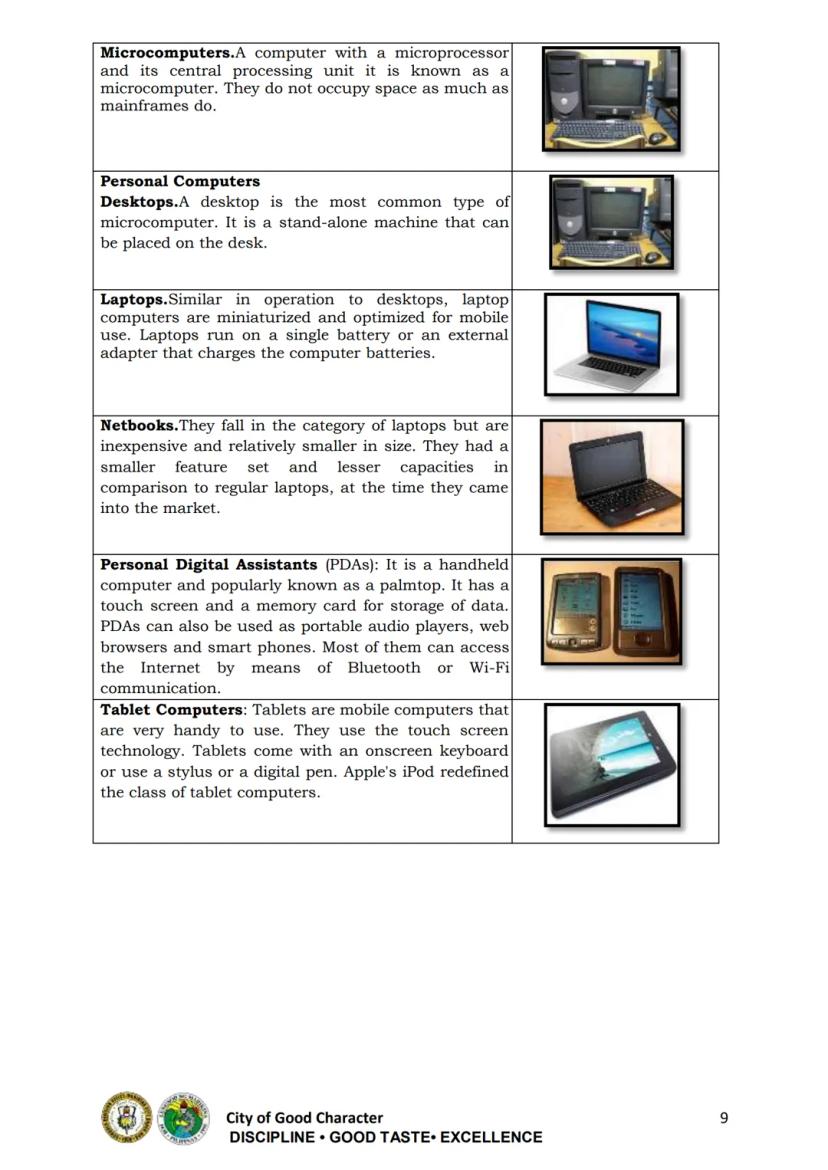
Personal Computers
Personal computers (PCs) come in various forms to suit different needs:
Desktop Computers are stand-alone machines designed to stay in one location. They typically have separate components including a monitor, system unit, keyboard, and mouse.
Laptops (also called notebooks) are portable computers optimized for mobile use. They run on batteries and have integrated components, making them ideal for working on the go.
Netbooks are smaller, less expensive laptops with fewer features and capabilities.
Tablets are highly portable touchscreen computers. They use an onscreen keyboard or stylus and are perfect for consuming content and simple tasks.
Personal Digital Assistants (PDAs) are handheld computers (palmtops) with touchscreens and memory cards for storage.
Did you know? The form of computer you choose should match your needs. Desktops offer more power and upgradeability, while laptops and tablets provide mobility.
4
of 10
Computer Hardware Components
The system unit houses the main components of a computer including:
Motherboard - The main circuit board connecting all components. It contains the most important circuits that run the computer.
CPU (Central Processing Unit) - The "brain" of the computer that performs all calculations and manages information flow.
Memory (RAM and ROM) - Primary storage that holds data:
- RAM (Random Access Memory) is volatile - it loses data when powered off
- ROM (Read Only Memory) is non-volatile - it retains data even when powered off
Power Supply Unit (PSU) - Converts standard electricity (AC) to the direct current (DC) voltages used by computer components.
Hard Disk Drive (HDD) - Provides permanent magnetic storage for your operating system, applications, and files.
Adapters/Expansion Cards - Add capabilities to your computer such as improved graphics, additional ports, or networking.
Tech Tip: The CPU and RAM have the biggest impact on your computer's performance for most everyday tasks.
5
of 10
Computer Peripherals: Input Devices
Computer peripherals are external devices that connect to your computer to perform specific functions.
Input devices allow you to enter data and instructions:
Keyboard - The most common input device used to type text and commands into the computer.
Mouse - A pointing device that lets you select, drag, and click on screen elements. It enables you to navigate the graphical interface easily.
Scanner - Reads printed text or images and converts them into digital format for the computer.
Microphone - Captures audio input for recording voice messages, video calling, or voice commands.
Webcam - Captures video input, allowing for video conferencing, recording, or streaming.
Learning Tip: When using input devices, proper positioning helps prevent strain. Place your keyboard and mouse at a comfortable height and keep your wrists straight.
6
of 10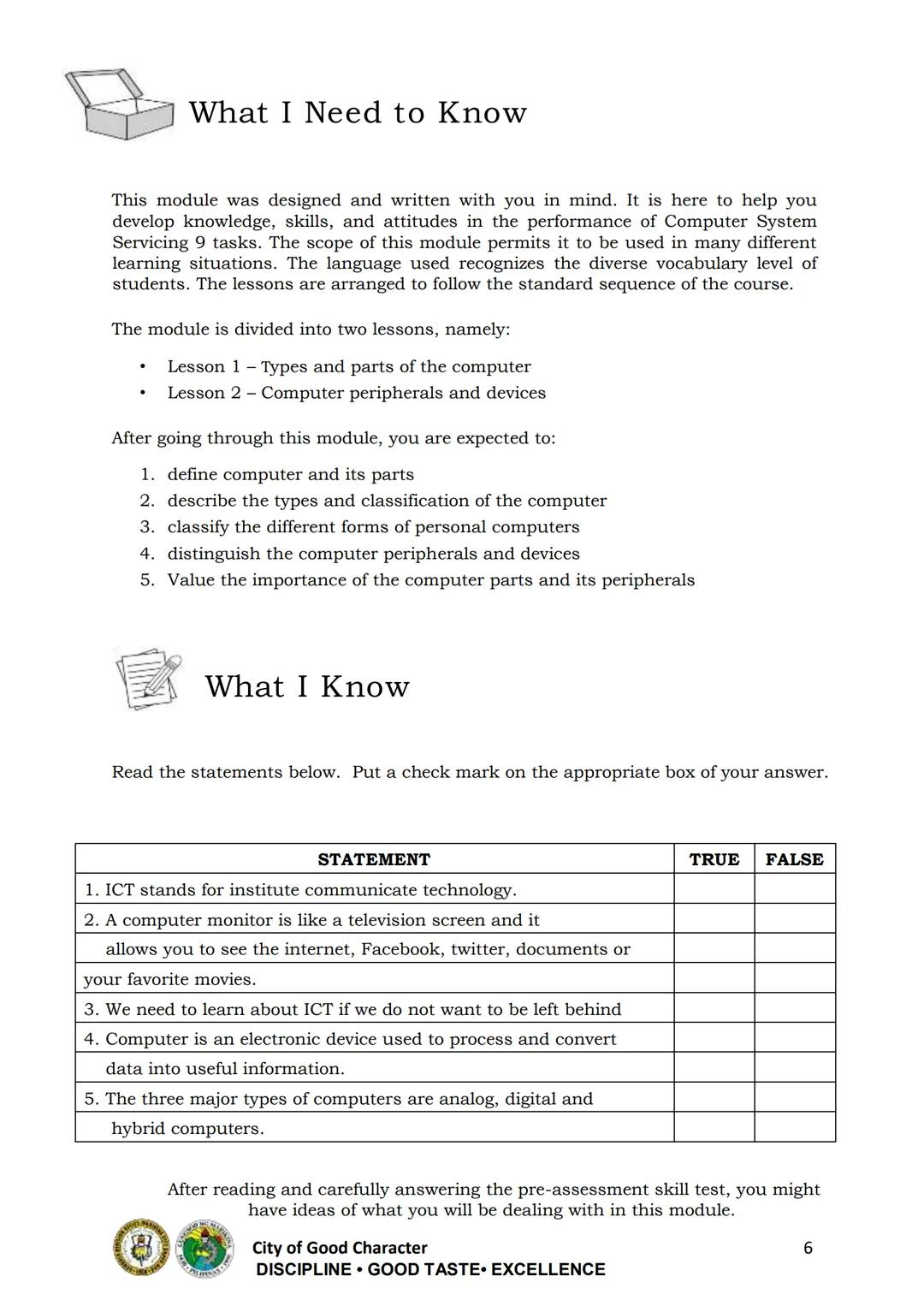
Computer Peripherals: Output Devices
Output devices present the results of computer processing in forms we can understand:
Monitor - Displays information visually through text and graphics. Modern monitors come in different types:
- LCD (Liquid Crystal Display)
- LED (Light Emitting Diode)
Projector - Displays computer output onto a large screen or wall, ideal for presentations and classrooms.
Printer - Creates physical copies of documents or images on paper. Common types include:
- Inkjet printers
- Laser printers
- LED printers
Speakers - Produce sound output from the computer, allowing you to hear audio, music, and alerts.
Quick Fact: Most modern smartphones combine multiple input and output devices (touchscreen, microphone, speakers, camera) in one portable package!
7
of 10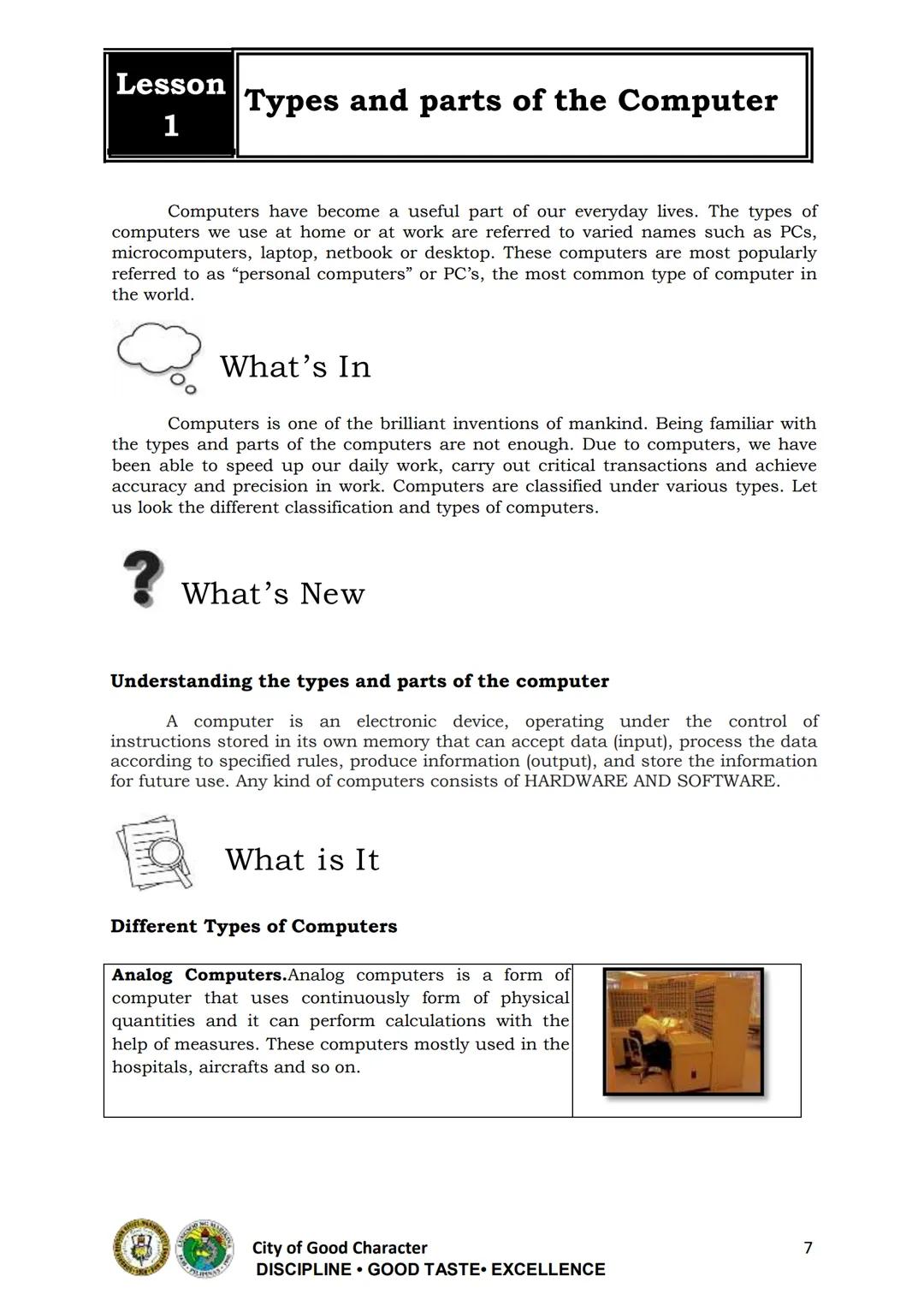
Storage Devices
Storage devices save your data for future use, even when the computer is turned off:
Hard Disk Drive (HDD) - The main storage in most computers, containing the operating system, software, and files.
Solid State Drive (SSD) - Faster, more durable storage with no moving parts (not mentioned in the module but important today).
Optical Discs - Use lasers to read and write data:
- CD (Compact Disc) - Stores up to 700 MB
- DVD (Digital Versatile Disc) - Stores 4.7 GB or more
- Blu-ray Disc - Stores 25 GB or more
USB Flash Drive - Portable, plug-and-play storage device that uses flash memory. Lightweight enough to attach to a keychain.
Understanding storage options helps you choose the right solution for your needs - from quick transfers with flash drives to long-term storage with external hard drives.
Storage Tip: Always keep backups of important files on separate storage devices to protect against data loss.
8
of 10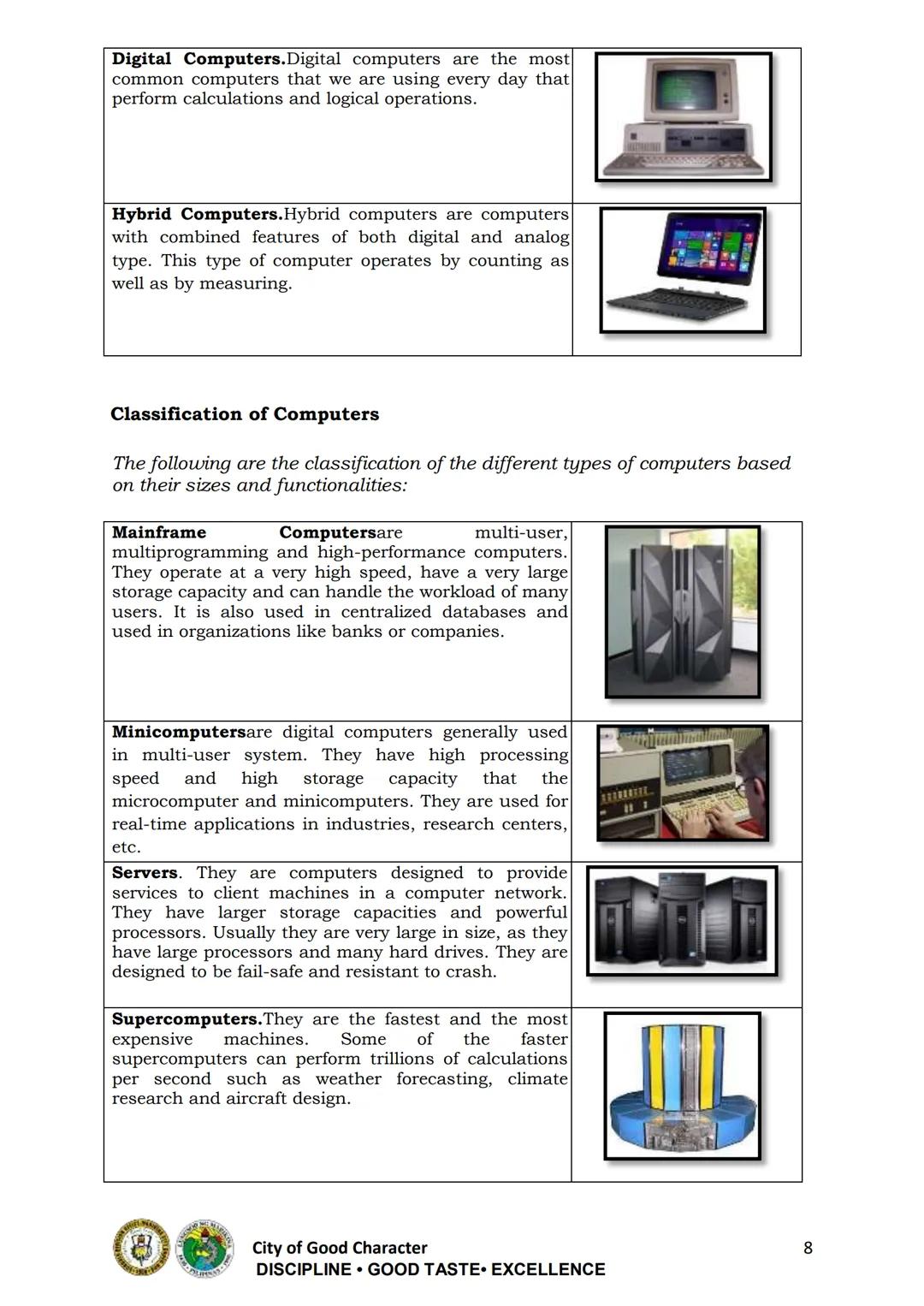
9
of 10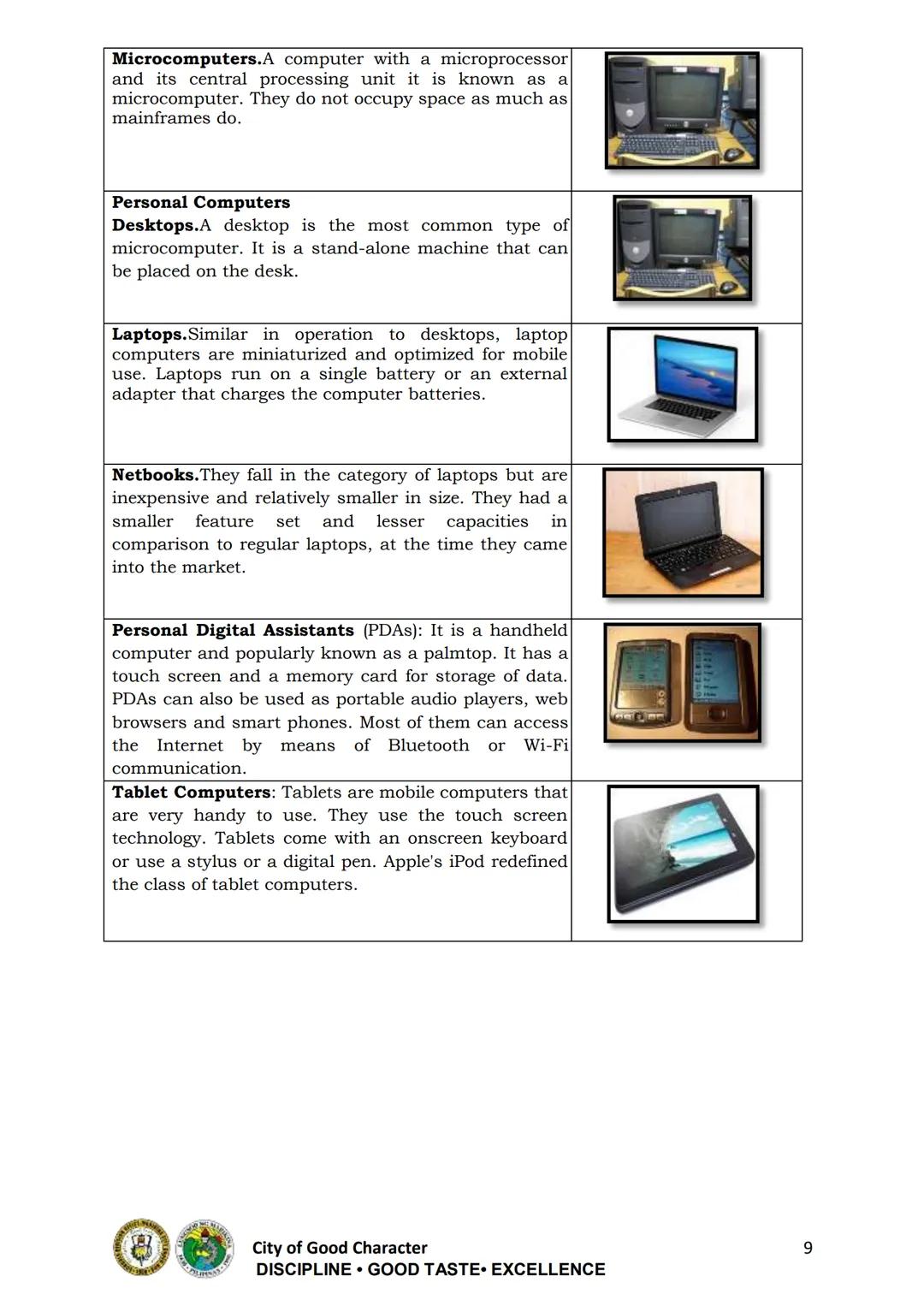
10
of 10
We thought you’d never ask...
What is the Knowunity AI companion?
Our AI companion is specifically built for the needs of students. Based on the millions of content pieces we have on the platform we can provide truly meaningful and relevant answers to students. But its not only about answers, the companion is even more about guiding students through their daily learning challenges, with personalised study plans, quizzes or content pieces in the chat and 100% personalisation based on the students skills and developments.
Where can I download the Knowunity app?
You can download the app in the Google Play Store and in the Apple App Store.
Is Knowunity really free of charge?
That's right! Enjoy free access to study content, connect with fellow students, and get instant help – all at your fingertips.
Most popular content
9O
 AP US History
Origins and Dynamics of the Columbian Exchange
Analyze the ecological and economic motivations behind the initial transfer of goods, people, and diseases between the Old and New Worlds.
9th3,1280
I
AP US HistoryIntroduction to Early Cultural Interactions
Analyze the initial social and religious encounters between Europeans, Africans, and Indigenous peoples in the colonial Americas.
9th2,7730
O
 AP World History
Origins of Ancient River Civilizations
Analyze the environmental factors and technological innovations that led to the rise of early states in Mesopotamia, Egypt, and the Indus Valley.
9th3,1870
M
AP US HistoryMotivations for European Exploration
Analyze the economic, religious, and political factors that drove European powers to the Americas during the 15th and 16th centuries.
9th1,7780
F
 AP Psychology
Foundations of Ethical Guidelines in Research
Practice the core principles of the APA ethical code including informed consent, debriefing, and the role of Institutional Review Boards.
9th1,3360
I
AP US HistoryIntroduction to Native American Societies
Examine the diverse social, political, and economic structures of North American indigenous groups prior to European contact.
9th1,1100
I
 AP Biology
Introduction to Biological Elements of Life
Practice identifying the essential elements including carbon, nitrogen, phosphorus, and sulfur that compose biological macromolecules.
9th1,7390
I
AP US HistoryIntroduction to the Spanish Encomienda System
Explore the fundamental economic and social structures of the Spanish colonial system, focusing on the encomienda and the casta social hierarchy.
9th8890
O
AP World HistoryOrigins and Continuity of the Byzantine Empire
Analyze the political and cultural transitions from the Roman Empire to the Byzantine Empire, focusing on the reign of Justinian I and his code.
9th1,6320
Can't find what you're looking for? Explore other subjects.
Students love us — and so will you.
4.6/5App Store
4.7/5Google Play
The app is very easy to use and well designed. I have found everything I was looking for so far and have been able to learn a lot from the presentations! I will definitely use the app for a class assignment! And of course it also helps a lot as an inspiration.
Stefan SiOS user
This app is really great. There are so many study notes and help [...]. My problem subject is French, for example, and the app has so many options for help. Thanks to this app, I have improved my French. I would recommend it to anyone.
Samantha KlichAndroid user
Wow, I am really amazed. I just tried the app because I've seen it advertised many times and was absolutely stunned. This app is THE HELP you want for school and above all, it offers so many things, such as workouts and fact sheets, which have been VERY helpful to me personally.
AnnaiOS user
TLE209 views·Updated Jun 19, 2026·25 pagesICT Grade 9 Module 1 - Quarter 1
M
Malariah@malaraiah
Computer systems are essential tools that help us work, learn, and connect with others. This module introduces the basics of computer systems servicing, focusing on computer parts, peripherals, and their functions in an easy-to-understand way.
1
of 10
Sign up to see the content. It's free!
- Access to all documents
- Improve your grades
- Join milions of students
Introduction to Computer Systems Servicing
A computer is an electronic device that processes data into useful information according to stored instructions. Every computer consists of both hardware (physical components) and software (programs).
Understanding computer parts and peripherals is crucial for anyone interested in technology. This knowledge helps you make informed decisions when using, buying, or fixing computers.
Quick Tip: Knowing how computers work not only helps with troubleshooting but also improves your ability to use them effectively!
The module covers two key areas: types and parts of computers, and computer peripherals and devices.
2
of 10Sign up to see the content. It's free!
- Access to all documents
- Improve your grades
- Join milions of students
Types of Computers
Computers are classified into three major types:
-
Analog Computers - Use continuous physical quantities for calculations and measurements. They're commonly found in hospitals and aircraft systems.
-
Digital Computers - The most common type we use daily. They perform calculations and logical operations by processing data in binary form (0s and 1s).
-
Hybrid Computers - Combine features of both analog and digital types. They can both count and measure, making them versatile for specific applications.
Computers are also classified by size and functionality:
- Mainframe Computers - Handle workloads of many users simultaneously
- Minicomputers - Multi-user systems smaller than mainframes
- Servers - Provide services to client machines in networks
- Supercomputers - The fastest and most expensive machines
- Microcomputers - Personal computers with microprocessors
Remember: Most computers you interact with daily are digital computers, specifically microcomputers or personal computers.
3
of 10Sign up to see the content. It's free!
- Access to all documents
- Improve your grades
- Join milions of students
Personal Computers
Personal computers (PCs) come in various forms to suit different needs:
Desktop Computers are stand-alone machines designed to stay in one location. They typically have separate components including a monitor, system unit, keyboard, and mouse.
Laptops (also called notebooks) are portable computers optimized for mobile use. They run on batteries and have integrated components, making them ideal for working on the go.
Netbooks are smaller, less expensive laptops with fewer features and capabilities.
Tablets are highly portable touchscreen computers. They use an onscreen keyboard or stylus and are perfect for consuming content and simple tasks.
Personal Digital Assistants (PDAs) are handheld computers (palmtops) with touchscreens and memory cards for storage.
Did you know? The form of computer you choose should match your needs. Desktops offer more power and upgradeability, while laptops and tablets provide mobility.
4
of 10Sign up to see the content. It's free!
- Access to all documents
- Improve your grades
- Join milions of students
Computer Hardware Components
The system unit houses the main components of a computer including:
Motherboard - The main circuit board connecting all components. It contains the most important circuits that run the computer.
CPU (Central Processing Unit) - The "brain" of the computer that performs all calculations and manages information flow.
Memory (RAM and ROM) - Primary storage that holds data:
- RAM (Random Access Memory) is volatile - it loses data when powered off
- ROM (Read Only Memory) is non-volatile - it retains data even when powered off
Power Supply Unit (PSU) - Converts standard electricity (AC) to the direct current (DC) voltages used by computer components.
Hard Disk Drive (HDD) - Provides permanent magnetic storage for your operating system, applications, and files.
Adapters/Expansion Cards - Add capabilities to your computer such as improved graphics, additional ports, or networking.
Tech Tip: The CPU and RAM have the biggest impact on your computer's performance for most everyday tasks.
5
of 10Sign up to see the content. It's free!
- Access to all documents
- Improve your grades
- Join milions of students
Computer Peripherals: Input Devices
Computer peripherals are external devices that connect to your computer to perform specific functions.
Input devices allow you to enter data and instructions:
Keyboard - The most common input device used to type text and commands into the computer.
Mouse - A pointing device that lets you select, drag, and click on screen elements. It enables you to navigate the graphical interface easily.
Scanner - Reads printed text or images and converts them into digital format for the computer.
Microphone - Captures audio input for recording voice messages, video calling, or voice commands.
Webcam - Captures video input, allowing for video conferencing, recording, or streaming.
Learning Tip: When using input devices, proper positioning helps prevent strain. Place your keyboard and mouse at a comfortable height and keep your wrists straight.
6
of 10Sign up to see the content. It's free!
- Access to all documents
- Improve your grades
- Join milions of students
Computer Peripherals: Output Devices
Output devices present the results of computer processing in forms we can understand:
Monitor - Displays information visually through text and graphics. Modern monitors come in different types:
- LCD (Liquid Crystal Display)
- LED (Light Emitting Diode)
Projector - Displays computer output onto a large screen or wall, ideal for presentations and classrooms.
Printer - Creates physical copies of documents or images on paper. Common types include:
- Inkjet printers
- Laser printers
- LED printers
Speakers - Produce sound output from the computer, allowing you to hear audio, music, and alerts.
Quick Fact: Most modern smartphones combine multiple input and output devices (touchscreen, microphone, speakers, camera) in one portable package!
7
of 10Sign up to see the content. It's free!
- Access to all documents
- Improve your grades
- Join milions of students
Storage Devices
Storage devices save your data for future use, even when the computer is turned off:
Hard Disk Drive (HDD) - The main storage in most computers, containing the operating system, software, and files.
Solid State Drive (SSD) - Faster, more durable storage with no moving parts (not mentioned in the module but important today).
Optical Discs - Use lasers to read and write data:
- CD (Compact Disc) - Stores up to 700 MB
- DVD (Digital Versatile Disc) - Stores 4.7 GB or more
- Blu-ray Disc - Stores 25 GB or more
USB Flash Drive - Portable, plug-and-play storage device that uses flash memory. Lightweight enough to attach to a keychain.
Understanding storage options helps you choose the right solution for your needs - from quick transfers with flash drives to long-term storage with external hard drives.
Storage Tip: Always keep backups of important files on separate storage devices to protect against data loss.
8
of 10Sign up to see the content. It's free!
- Access to all documents
- Improve your grades
- Join milions of students
9
of 10Sign up to see the content. It's free!
- Access to all documents
- Improve your grades
- Join milions of students
10
of 10Sign up to see the content. It's free!
- Access to all documents
- Improve your grades
- Join milions of students
We thought you’d never ask...
What is the Knowunity AI companion?
Our AI companion is specifically built for the needs of students. Based on the millions of content pieces we have on the platform we can provide truly meaningful and relevant answers to students. But its not only about answers, the companion is even more about guiding students through their daily learning challenges, with personalised study plans, quizzes or content pieces in the chat and 100% personalisation based on the students skills and developments.
Where can I download the Knowunity app?
You can download the app in the Google Play Store and in the Apple App Store.
Is Knowunity really free of charge?
That's right! Enjoy free access to study content, connect with fellow students, and get instant help – all at your fingertips.
Most popular content
9O
AP US HistoryOrigins and Dynamics of the Columbian Exchange
Analyze the ecological and economic motivations behind the initial transfer of goods, people, and diseases between the Old and New Worlds.
9th3,1280
I
AP US HistoryIntroduction to Early Cultural Interactions
Analyze the initial social and religious encounters between Europeans, Africans, and Indigenous peoples in the colonial Americas.
9th2,7730
O
AP World HistoryOrigins of Ancient River Civilizations
Analyze the environmental factors and technological innovations that led to the rise of early states in Mesopotamia, Egypt, and the Indus Valley.
9th3,1870
M
AP US HistoryMotivations for European Exploration
Analyze the economic, religious, and political factors that drove European powers to the Americas during the 15th and 16th centuries.
9th1,7780
F
AP PsychologyFoundations of Ethical Guidelines in Research
Practice the core principles of the APA ethical code including informed consent, debriefing, and the role of Institutional Review Boards.
9th1,3360
I
AP US HistoryIntroduction to Native American Societies
Examine the diverse social, political, and economic structures of North American indigenous groups prior to European contact.
9th1,1100
I
AP BiologyIntroduction to Biological Elements of Life
Practice identifying the essential elements including carbon, nitrogen, phosphorus, and sulfur that compose biological macromolecules.
9th1,7390
I
AP US HistoryIntroduction to the Spanish Encomienda System
Explore the fundamental economic and social structures of the Spanish colonial system, focusing on the encomienda and the casta social hierarchy.
9th8890
O
AP World HistoryOrigins and Continuity of the Byzantine Empire
Analyze the political and cultural transitions from the Roman Empire to the Byzantine Empire, focusing on the reign of Justinian I and his code.
9th1,6320
Can't find what you're looking for? Explore other subjects.
Students love us — and so will you.
4.6/5App Store
4.7/5Google Play
The app is very easy to use and well designed. I have found everything I was looking for so far and have been able to learn a lot from the presentations! I will definitely use the app for a class assignment! And of course it also helps a lot as an inspiration.
Stefan SiOS user
This app is really great. There are so many study notes and help [...]. My problem subject is French, for example, and the app has so many options for help. Thanks to this app, I have improved my French. I would recommend it to anyone.
Samantha KlichAndroid user
Wow, I am really amazed. I just tried the app because I've seen it advertised many times and was absolutely stunned. This app is THE HELP you want for school and above all, it offers so many things, such as workouts and fact sheets, which have been VERY helpful to me personally.
AnnaiOS user